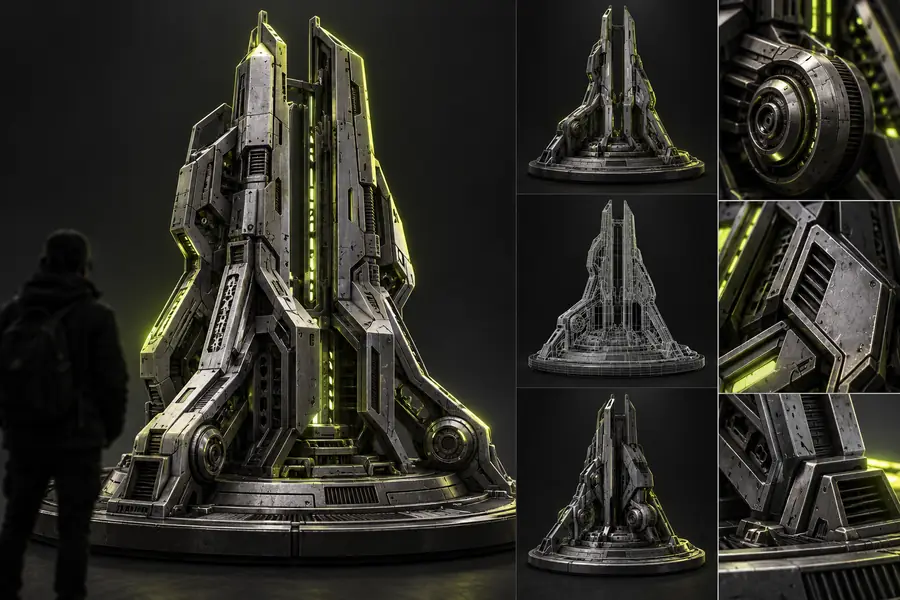

Browser-based workflow

Glb Poly Reducer Online for Practical 3D Optimization

A glb poly reducer online helps you approach mesh simplification as a focused asset-preparation step. Review the model, reduce unnecessary geometry, and keep the result aligned with how the asset will be used.

Review the result before delivery

Related workflows

Different asset goals call for different preparation steps. These related pages explain compression, examples, model-focused reduction, and practical file-size work.

Set expectations

Where This Route Has Limits

Online reduction is useful for a focused pass, but it is not a substitute for every part of asset production or technical art review.

  • It cannot repair every broken asset

    A damaged export, missing texture reference, or malformed scene may need to be corrected before reduction can produce a dependable result.

    WorkaroundValidate the source GLB and re-export it from the originating 3D application when needed.

  • It does not replace visual review

    A lower polygon count can affect silhouettes, small features, shading, or animation behavior in ways that a numeric target cannot judge by itself.

    WorkaroundInspect the reduced result from the intended camera views and test important motions.

  • It is not a complete texture pipeline

    Polygon reduction addresses geometry, while texture dimensions, material complexity, and embedded resources can still contribute substantially to file weight.

    WorkaroundPair geometry reduction with sensible texture and material preparation.

  • It cannot know your final performance budget

    The right level of simplification depends on the device, scene, camera distance, and runtime used by the finished experience.

    WorkaroundSet acceptance criteria from the target platform and compare the asset in context.

Three-stage process

How the Online Reduction Flow Works

The practical sequence is simple: start with the asset, make a controlled geometry change, then confirm that the result still serves its intended purpose.

  1. 1

    Prepare the source GLB

    Choose the version that contains the geometry, materials, and scene information you actually intend to deliver. Remove obvious unused content before the reduction pass when appropriate.

  2. 2

    Apply the reduction goal

    Use the online workflow to describe or select the desired optimization direction, such as a lighter web asset or a simpler model that retains its recognizable form.

  3. 3

    Inspect and use the result

    Compare the output with the source, check key surfaces and proportions, and move the accepted file into your viewer, pipeline, or handoff.

Visual checkpoint

Compare Geometry Before You Deliver

A before-and-after view makes the tradeoff easier to discuss: the best result is not simply the smallest file, but the one that remains useful for its next context.

  • Source asset
  • Reduced asset

Use silhouette, details, and intended viewing distance as the comparison criteria.

Detailed GLB asset prepared for online polygon reduction
Simplified 3D model prepared for a lighter workflow

Workflow comparison

Online Reduction Versus Manual Preparation

An online route is convenient when you want a focused optimization pass. Manual preparation remains valuable when the asset needs detailed topology edits, scene cleanup, or platform-specific authoring.

1

Starting point

Online reduction route

A prepared GLB and a defined optimization goal

Manual 3D workflow

Source scene, mesh, materials, and authoring tools

2

Primary strength

Online reduction route

A focused way to simplify a deliverable asset

Manual 3D workflow

Detailed control over topology, materials, and scene structure

3

Geometry control

Online reduction route

Goal-oriented reduction with result review

Manual 3D workflow

Direct vertex, edge, face, modifier, and retopology control

4

Iteration speed

Online reduction route

Useful for a quick asset-preparation pass

Manual 3D workflow

Depends on the application, scene complexity, and operator

5

Quality validation

Online reduction route

Requires visual inspection of the returned result

Manual 3D workflow

Can be checked continuously during the editing process

6

Best fit

Online reduction route

Web assets, previews, handoffs, and targeted simplification

Manual 3D workflow

Complex production assets requiring bespoke technical decisions

7

Final responsibility

Online reduction route

The user still confirms suitability for the target context

Manual 3D workflow

The artist or technical team owns every export decision

Practical applications

Who Benefits From an Online GLB Reduction Pass

The same route can support different roles, provided each person checks the result against the demands of the next stage.

Web designers

A landing page or product viewer needs a recognizable 3D asset without carrying unnecessary geometric detail.

Use a lighter candidate for the browser experience, then validate it at the intended display size.

glb poly reducer examples online

3D artists

A detailed export needs a quick simplification pass before it is shared with a client or handed to another team.

Create a practical review version while keeping the original source available for later edits.

glb poly reducer 3d models

Product teams

A catalog or prototype contains several GLB assets with inconsistent levels of geometric detail.

Establish a repeatable review step for identifying models that need simplification before publishing.

how to reduce GLB file size

Interactive developers

A model must be tested in a target scene before the team commits to deeper optimization work.

Compare a reduced candidate in context and decide whether geometry, textures, or materials need further attention.

glb compressor

Prepare a More Practical GLB

Send a model through a focused online optimization workflow, then review the result against your visual and delivery requirements. The important decision is not only how much geometry changes, but whether the asset remains useful where it will appear.

Optimize a GLB
  • Start from a clear asset goal
  • Review the result before handoff
  • Keep the original available for comparison

Online GLB questions

Frequently Asked Questions

It provides a browser-based route for simplifying the geometry in a GLB asset. The purpose is to make a model more practical for a target workflow while preserving as much useful shape and detail as possible.

Use an online reducer when you need a focused optimization pass or a practical review candidate without rebuilding the asset by hand. Manual editing is still better when you need precise topology changes, scene cleanup, or platform-specific control.

Not always. Geometry is only one part of a GLB, so textures, materials, animations, and embedded resources can continue to affect the final file size. Check the complete output rather than assuming that a lower polygon count solves every delivery issue.

Inspect the silhouette, important small features, shading, materials, and any animation from the viewpoints that matter to your project. Then test the asset in its intended viewer or scene before replacing the source file.

No reduction process can guarantee an identical result in every view because simplifying geometry changes the available surface detail. A careful target and visual review can help keep the change within an acceptable range for the intended use.

Explore 3D studio
Explore 3D studio